
Editor’s note: This article was originally published in the Nugget’s Nov. 12 print issue. Read the entire issue here.
Have you struggled with Honorlock? Some students and instructors from the NAIT JR Shaw School of Business have been experiencing issues with the new technology. It even happened to me in October — the majority of my classroom were unable to write their midterms in-class because Honorlock wasn’t working correctly.
Honorlock is an e-proctoring software intended to minimize academic misconduct. NAIT’s Learning Technology and AI Strategy department, in consultation with NAIT Students’ Association (NAITSA), rolled out Honorlock and another e-proctoring software, Schoolyear, in August as a pilot to students in NAIT’s business program to replace Respondus LockDown Browser.
According to Mark Schneider, Director of Learning Technology and AI Strategy, NAIT chose to move away from Respondus after an increase in academic integrity and student privacy concerns, but also to maintain the value of NAIT credentials and improve student experiences. Because Respondus is fully-automated, Schneider said students “weren’t being given fair opportunity to write exams or to explain their circumstance.”
“There’s quite a bit of bad press around these full-automated solutions with regards to bias, particularly racial bias and religious bias,” said Schneider. In contrast to Respondus, Honorlock also has live human support 24/7 all-year round. The primary benefit when using Honorlock, Schneider said, is that students “can engage with a human right now on a live chat that’s not just an AI” by visiting the Honorlock website.
“If there’s holes or gaps in the implementation, it could be very frustrating for students.”
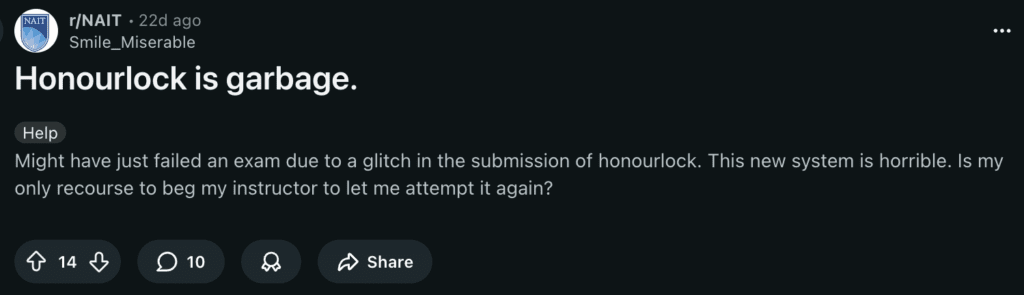
While Honorlock is meant to be an improvement from Respondus, students shared concerns online in the r/NAIT subreddit. In a post titled “Honourlock is garbage,” one user said they could have “failed an exam” because of a submission glitch. “My teacher basically told me it was my fault and there was nothing I could do,” another user said.
“My computer’s a little bit old and my battery ain’t the best, but usually if I’m at 100 per cent, it lasts like me the whole day. But one Honorlock test just drained my whole battery,” Gurshan Brar, a first-year accounting student, told the Nugget. And there usually aren’t enough outlets in classrooms to fix issues like this during in-person assessments.
“The last thing we want is more stress on students when it just comes to taking their exam,” said NAITSA President Lily Houcher. “Both instructors and students need to have knowledge on it and it needs to be implemented correctly in order for it to work on the student side,” said Houcher, who attended software consultation meetings with Learning Technology in the springtime. “But if there’s holes or gaps in the implementation, it could be very frustrating for students.”
So if Honorlock is a better piece of software, why all the issues?
According to Schneider, some of the issues with Honorlock come from where it is being used. “We haven’t actually noticed a lot of technical issues with students associated with remote exams,” he said.
In fact, Honorlock wasn’t meant to be used for in-person exams at all. “Schoolyear is intended to be used for in-person exams and Honorlock was intended to be used for online exams,” said Schneider. He explained the plan to run Honorlock and Schoolyear concurrently didn’t go as planned since “some instructors developed a preference” towards using Honorlock for both types of exams.
“Instructors shouldn’t be turning on screen recording and webcam monitoring for an in-person exam.” This takes up a lot of bandwidth and makes connection difficult during assessments. “If the screen is being recorded and the webcam is turned on, when the student is connected to the public Wi-Fi, we have noticed a significant disruption to student experiences in those cases.”
Students using NAIT’s public Wi-Fi during exams is another problem. When completing high-stakes assessments, students “aren’t connected to eduroam or don’t know how to connect to eduroam,” he said. Students can sign into eduroam, a secure Wi-Fi network developed for the education community to use, by using their NAIT student email and associated password to sign into the network.
Students have still seen some issues when taking remote exams, though. Schneider said it could be because students aren’t taking the Honorlock practice set-up tests to remedy issues before exams start. “That’s our number one problem, by far and large,” he said.
“Instructors shouldn’t be turning on screen recording and webcam monitoring for an in-person exam.”
Instructors were provided training on Honorlock on June 25 and Aug. 26, but Houcher thinks there still needs to be more knowledge shared with students and instructors. “I think majority of the times that there are problems, it does come from instructors potentially not setting it up properly,” she said.
While the support seems to be there, instructors seem to at least perceive that it hasn’t been communicated, and now students are caught in the middle.
Still, students like Brar acknowledge e-proctoring technology must be used to combat academic misconduct during asynchronous exams. “I really like it at home assignments because … obviously everyone’s going to cheat at home, right?”
If you’re having issues with Honorlock as a student, Schneider recommends using Honorlock’s online support. As well, the ITS help desk provides support Monday through Friday, 8 a.m. to 4 p.m.
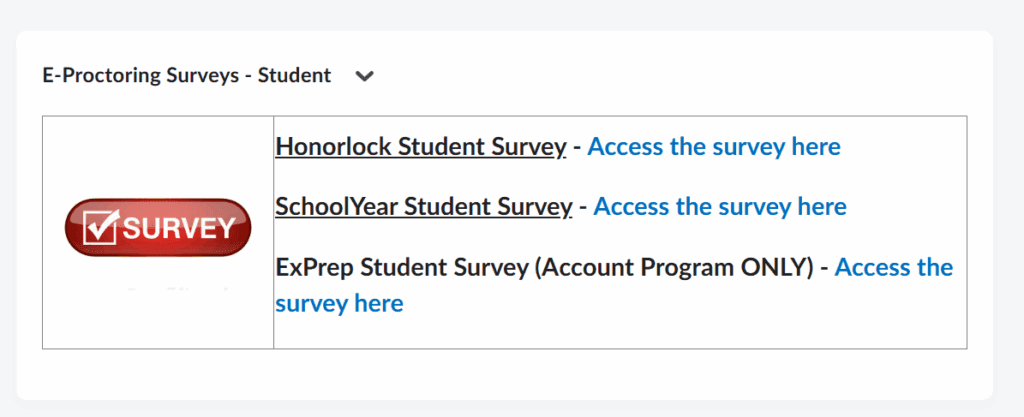
The Learning Technology and AI Strategy department encourages NAIT students to fill out the e-proctoring technologies surveys, which are available to JRSSB students on Brightspace until the end of the fall term.
“Our team, Learning Technology, is committed to gathering the feedback of students because our number one focus is on the student experience.”
Feature image graphic by Alleah Boisvert